Client previews
Open a temporary review link for a local web app without preparing separate staging infrastructure.
Windows and macOS developer beta
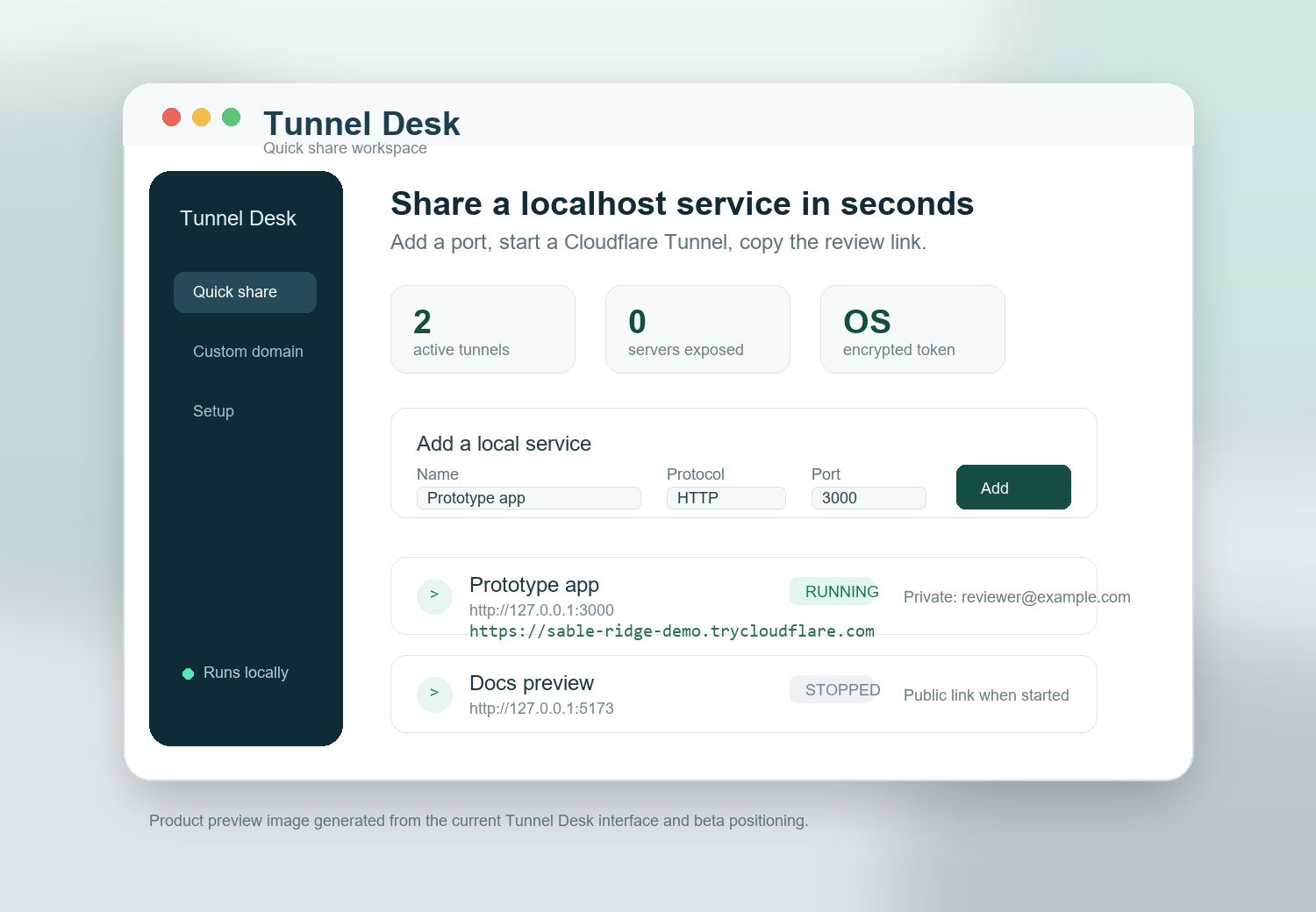
Tunnel Desk gives developers a clean desktop interface for sharing localhost web apps, APIs, dashboards, and AI-built prototypes through Cloudflare Tunnel.
What it is for
Useful for short review loops, prototype handoffs, internal tools, and development APIs where a full staging deploy would slow the conversation down.
Open a temporary review link for a local web app without preparing separate staging infrastructure.
Share a local dashboard or test API with a teammate, then stop the tunnel when the review is finished.
Let reviewers try the web interface you just built with an AI coding assistant while you keep iterating locally.
Product flow
Tunnel Desk wraps the official cloudflared connector in a focused desktop workflow: add a service, start the tunnel, copy the URL.
Name the app, choose HTTP or HTTPS, and enter the localhost port you already have running.
Leave access public for throwaway demos, add email restrictions for browser reviews, or use Cloudflare Access for named hostnames.
Use the generated URL for review, inspect connector logs when needed, and stop tunnels when the session is done.
Sharing modes
Temporary trycloudflare.com link per service. No Cloudflare account or domain required. Best for demos, client previews, and short-lived collaboration.
Stable hostname through a named Cloudflare Tunnel. Routes, DNS, and Access policies stay in Cloudflare where production controls belong.
Optional browser-based email protection for supported cloudflared versions. Good for human reviewers, not unattended API callers.
Use Cloudflare Access for identity, trusted network rules, service tokens, and policy combinations that need more durability.
Security posture
Tunnel Desk is designed to be honest about what it controls, what Cloudflare controls, and what still belongs to your local app.
The connector makes outbound connections and forwards to loopback. Your service stays bound to your machine.
Named-tunnel tokens are saved only when operating-system credential encryption is available.
Quick links are temporary, web services only, and live platform testing is required before production release.
Beta 0.1
Contact Liaan at We Envision AI for the right Windows or macOS beta build, the user guide, and onboarding notes.
Download beta builds
These are unsigned beta builds. Windows and macOS may show warnings until production signing and notarization are complete.
Extract the full archive before opening the app. On macOS, move Tunnel Desk.app to Applications before launch.